Ship the work.
Chase the bugs. Bill the hours.
A delivery system with a real issue tracker inside it — one that will not take a bug report without steps, expected and actual — and timesheets that carry the rate they were logged at all the way to the invoice.
One module, 3 products. Sold separately almost everywhere else as project management, an issue tracker and time & billing.
Walk one issue through the five parts the tracker records
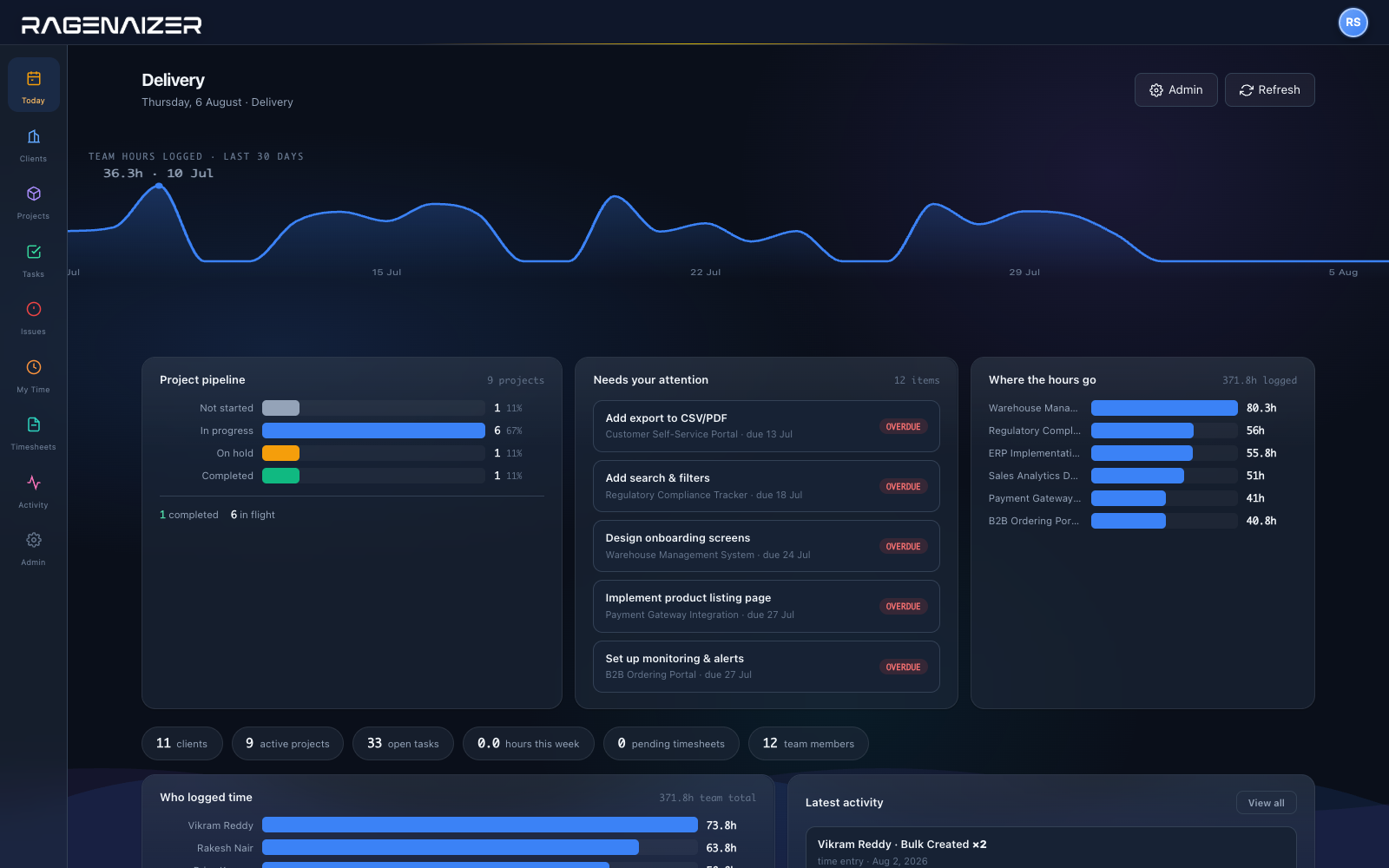
What the delivery desk opens on.
Which projects are moving, what has already slipped past its date, and where the team's hours actually went last month — before anybody assembles a status report.
The part most tools stop just short of.
Plenty of tools will track time. Fewer will carry it to a bill without a spreadsheet in the middle — and fewer still get the rate right when somebody's rate changed in March.
Client, project, task, issue, hour.
One hierarchy the whole delivery side hangs off, so a question about a client and a question about a bug are answered from the same place.
The things people ask on the first call.
Is the issue tracker a real one?
Yes. Numbered keys per project, issue types, severity, priority, component, environment, reproducibility, resolutions, duplicate linking, threaded comments, attachments, watchers and full history.
And the three fields that make a report useful — steps, expected and actual — are required, not optional boxes somebody skips at five to six.
Do we need a separate bug tracker?
That is the point of it being here. Delivery teams usually run a project tool and a bug tracker and reconcile them by hand; an issue and the task it came from sit in the same hierarchy under the same client.
How is average resolution time worked out?
From timestamps the system records itself — first response, resolved, closed — not from anyone remembering to start and stop a clock. The same stamps give you the breakdowns by severity, priority, component and resolution.
What if somebody's rate changes mid-project?
The rate is captured onto each time entry as it is logged. Change a rate today and everything already billed stays as it was billed — a retroactive change cannot quietly rewrite last quarter's revenue.
How do timesheets get approved?
A week is submitted as a single timesheet and lands in a pending queue for review, where it is approved or sent back. It is not an email thread, and it is not forty separate entries somebody ticks off.
Can we bill from it?
Approved hours carry their snapshotted rate into a billable amount, and the invoice is raised in Accounts against the same client record — not a lookalike somebody created with a slightly different spelling.
How deep does the structure go?
Client, project, sub-project — and no further, on purpose. One level of nesting covers how delivery work is actually organised; two is where a structure starts costing more to maintain than it explains.
Who can see what?
Project membership decides it. Members see and log against their projects; administrators see across them. Creating an issue requires being on the project, so the tracker does not fill up with reports from people with no context.
One hierarchy, from the client to the hour.
Stop reconciling a project tool, a bug tracker and a timesheet spreadsheet that all disagree.
This is one module of the business OS, not a point tool. Projects on its own does what is usually sold as three: project management, an issue tracker, and time and billing. The same seat opens Meetings, Mail, Chat, Drive, CRM, HR, Accounts, Projects, Procurement, Learning and Research — eleven modules covering about twenty-eight products' worth, on one login, one permission model and one ledger. You are not buying a project tool; you are putting the company on one system.