The mailbox belongs
to the business.
Connect the accounts you already have — yours, sales@, accounts@ — and read them in one place. The thread about a customer sits next to that customer's record, and it does not leave when the person who sent it does.
What a mailbox here is wired into
Three panes, no surprises.
Accounts and folders on the left, the conversation list grouped by when things arrived, and the message you are reading — with the rest of the platform one click away in the same rail.
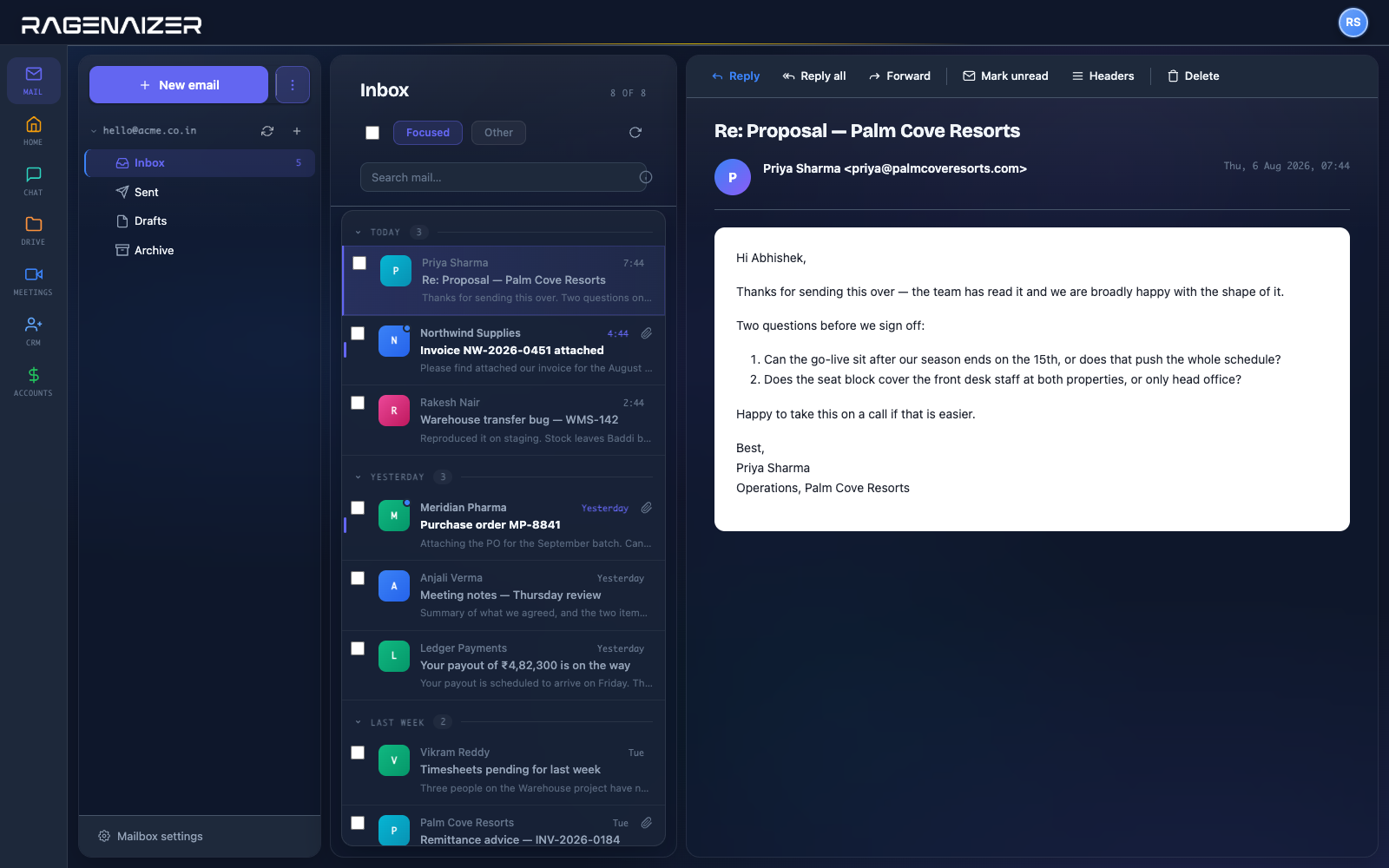
A working mail client, and then the part that matters.
Everything you would expect, plus the reason it is worth moving: the mail is connected to the customer, the deal and the meeting.
The things people ask on the first call.
Do we have to change our email address?
No. You connect the accounts you already have over IMAP and SMTP, or sign in with Google. Your address, your domain and your provider stay exactly as they are.
Can several people work a shared address?
Yes — sales@ or accounts@ sits in the same list as personal mail, so the shared inbox is not a second window somebody has to remember to open.
What happens when the person leaves?
The mailbox is connected to the workspace rather than to a laptop. The customer thread stays with the business, which is the actual reason to move mail off individual clients.
Can we tell if a proposal was opened?
Yes, opens are tracked — so a follow-up is a decision rather than a guess. The same tracking backs the campaigns and sequences in CRM.
Can we schedule a send?
Yes. Compose now, send at a time you pick.
Does it connect to the CRM?
It is the same mail engine. Templates, campaigns and multi-step sequences in CRM send through it, so a message to a lead is on the lead rather than only in someone's sent items.
Is Mail billed separately?
No — it is one of the apps in the seat block, on the same login as everything else.
Get the customer thread out of one person's inbox.
Keep your address, keep your provider, and put the mail where the rest of the work already is.
This is one module of the business OS, not a point tool. The same seat opens Meetings, Mail, Chat, Drive, CRM, HR, Accounts, Projects, Procurement, Learning and Research — eleven modules covering about twenty-eight products' worth, on one login, one permission model and one ledger. You are not buying a mailbox; you are putting the company on one system.